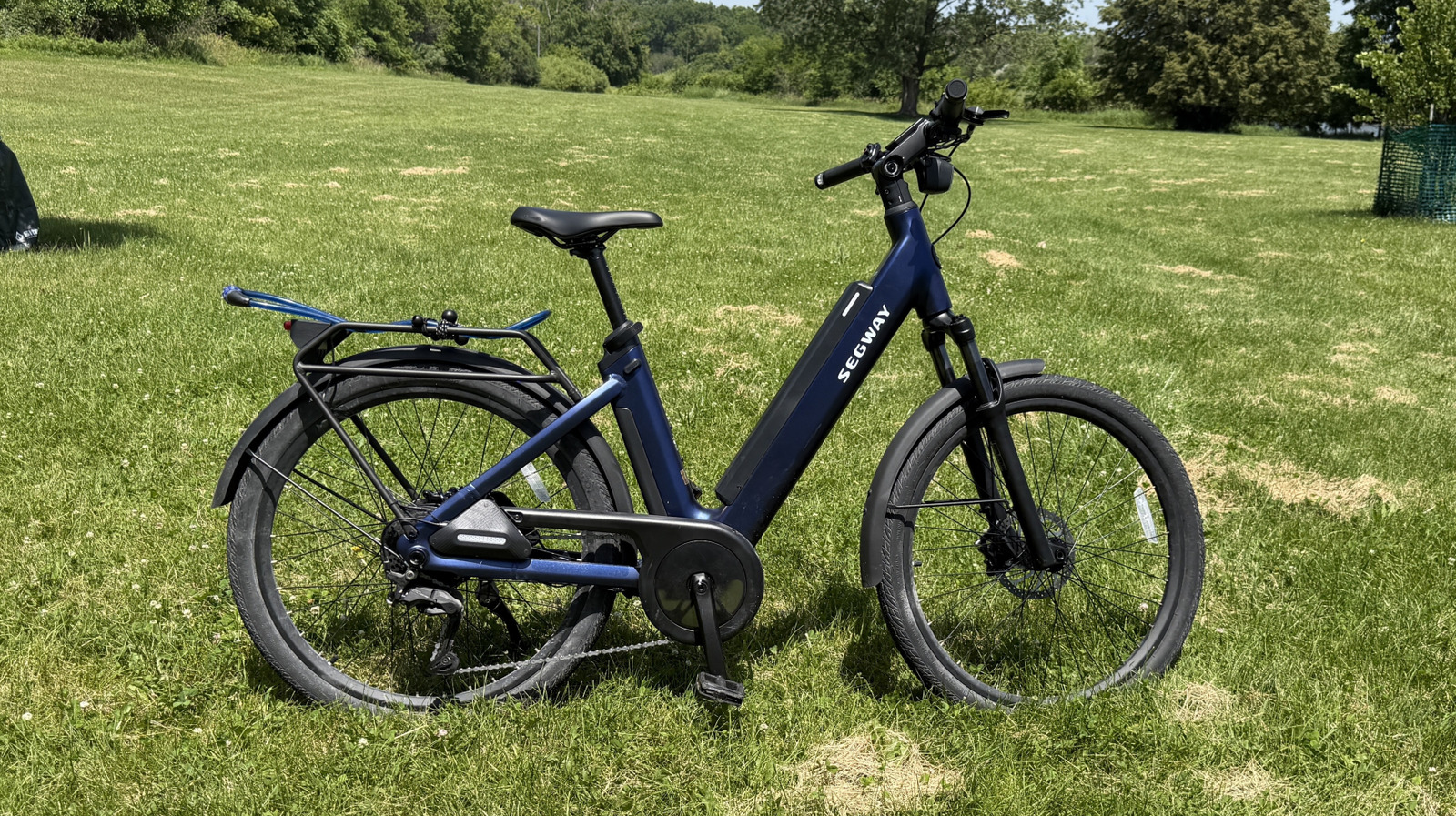
Segway Myon Review: The Best Tech-Packed E-Bike Yet
I had a chance to test out the Segway Myon e-bike at CES 2026, back in January and I’ve been thinking about it ever since. In Las Vegas, this bike blew me away. Now that I have one, I’ve found a few warts, but I’m still genuinely impressed.
I’m a 49-year-old, 270-pound man who is riding a bike for the first time in two weeks. Why it’s the first time in two weeks is a subject we’ll discuss in a little bit, but suffice it to say, it’s been a while since I’ve had the opportunity to get out and cruise. I biked from my home in Streamwood, IL over to the city of Elgin, along the river for a spell to the Illinois Prairie Path, on to the Great Western Trail, back over to Woodfield mall, and finally back to my home.
I just crossed my 50th mile on this trip. I’ve been biking for just over four hours in 87-degree heat. Overall, I’m tired, but I feel pretty good, and I have the bike under me to thank for it.
Put simply, this bike packs the most technology I’ve seen in a bike that costs less than $2,000. There’s a lot to love here, and it doesn’t cost much to love it — comparatively. $2,000 is a lot of money, but what you get compared to what you get in other e-bikes is outstanding. It’s no exaggeration to say that this sets the new standard for e-bikes in America.
Smooth riding
One of my favorite parts about this bike has to be the motor. It is incredibly powerful and very smooth. The bike uses a torque sensor to determine when assistance in needed. A torque sensor can tell how much effort you’re putting into pedaling and nudge you a little faster and a little harder. It doesn’t take much for it to kick in, but when it does it feels natural — as if you’re just pedaling a little bit harder. By comparison, a cadence sensor detects when the pedals move and engages the motor basically whether you need it or not. Overall, I vastly prefer torque sensors.
As far as the assistance is concerned, you can set your own level. For the most part, I left the assist level between one-quarter and one-half power. I basically never needed more than that; it was plenty. On the 50-mile journey that culminated my review period, I kicked it up to half power toward the end, both because I didn’t need to conserve the battery as much, it was largely uphill, and because I was getting pretty gassed.
It’s not cheating
Some people will look at someone riding an e-bike and consider them to be cheaters. I totally see where that opinion is coming from, but after this latest ride, I can very much assure you that is not the case. Basically, it’s like being in a four-hour spin class. That’s no joke. The Myon has a throttle as well, so it is possible to just cruise on this bike if you want, but that takes a big hit on the battery.
For one trip, I biked about 12 miles from my home to a newly-published geocache — I was the first to find it, thank you very much. On the way back, I decided to just let the bike do the work. The trip down used about 20% of the battery. The ride back depleted it by nearly 50%. You’re better off biking, using the motor to assist your pedaling, rather than just wholesale relying on the throttle. The motor is so powerful, you don’t need to turn up the assistance much at all, but your legs will be doing some work, for sure.
The tech packed in
The Segway Myon has a ton of useful tech built into it. Of course, there’s a bright, full color display in the middle of the handlebars. On each end is a turn signal that flashes the handlebars front and back so everyone knows where you’re going. The bike also has a lot of security features like Airlock, which allows you to unlock the bike just by having your phone nearby. When the bike is locked and it’s moved, the real wheel locks and won’t spin and a loud klaxon sounds indicating the bike is being moved without its owner nearby.
I found this feature to be a tad annoying — my phone didn’t unlock the phone or prevent the alarm from sounding nearly in time. Most of the time, I had to pull my phone out of my pocket and manually unlock the bike in the app just to shut it up. I like the idea of the locking rear wheel and alarm, but overall, Bluetooth doesn’t seem quick or reliable enough to make that connection and disable those features before they annoy you.
Moreover, the security features are hard on the battery — draining it by about 9% overnight. That’s not great. If you don’t ride your bike and don’t leave it plugged in, you may go out after three days and find a quarter of the battery drained. What would make this feature better would be a geofence that allows you to disable all those features when you are home, so the bike knows that it’s safe, so it can relax and save some battery.
Navigation with Here maps is (currently) terrible
The bike also comes with built in navigation, which is a really cool concept, but it’s fundamentally flawed in a number of ways. Most notably, navigation relies on app connectivity which, as I’ve already discussed, is far from perfectly. That’s already not great. The app has a navigation feature that remains hidden until you expose it. I had to edit the quick options in the app to locate navigation panel in order to actually use it, but that’s still not the worst part about the navigation.
The bike uses Here maps to navigate. I have a lot of respect for Here — it was the default navigation app for Windows Phone; I’m a fan. But Here maps is terrible for biking directions, and it’s worth reiterating that this navigation…is for a bike.
On any given route, I entered the destination on Google Maps and in the Segway navigation app, and without fail, Google had better directions. In one instance, Here wanted me to ride my bike on the shoulder of a thoroughfare with a posted speed limit of 45 mph while Google (rightly) directed me to the bike path that literally ran parallel to the road 50 feet to the north. It got to the point where I simply stopped using the bike’s (Here) navigation because it was, for all intents and purposes, useless.
Quality, but delicate construction
The build quality of the bike is very solid, and very heavy. The bike has a step-through frame, with an optional body bar. I left it off — I’m old and I prefer step-through frames. Each handlebar has a controller with buttons and switches that control the technology on board. A joystick on the left side switches you between screens, and rocker switch on the right controls the gears for the bike — electronic switching is quite handy by the way. In a couple of weeks, Segway will roll out an automatic gear switching feature. When I receive that update, I will test it and if it significantly improves the overall experience, I’ll be sure to update this review.
The problem I ran into (and the reason why I didn’t ride a bike for two weeks) was because at some point when either loading or unloading the bike from my car, the pedal assist rocker switch popped off and I lost it. Segway sent over a new control unit which required disassembly of the handlebar, and when I tried to reconnect the wires to the control board, I inadvertently bent delicate pins inside one of the connectors. I had to head to a bike shop where they were able to straighten the pins and get the connector working again.
When I looked more closely at the rocker switch that popped off I could easily see how it happened. The button had a small slot below it that could easily catch on a sharp edge and pop the button right off. The pins inside the connector are also a bit too easily bent for my taste. I hope Segway takes these notes to heart when designing its next bike.
Intuitive and easy
Overall, the bike is easy to ride and control. I sometimes found myself turning on the turn signal when I meant to adjust the pedal assistance because the rocker switches are identical left and right. Beyond that though, I love the idea of navigation built into the display, and media controls which you can adjust via that control screen.
The bike can also switch between being a class 2 and a class 3 e-bike. The difference is a class 3 e-bike can go up to 28 miles per hour, but that disables the throttle entirely. I left the bike in Class 2 mode for most of my review period because I like having the throttle if I need it, and 28 miles per hour is too fast for trail riding, which is where I spent most of my time. All that being said, I wouldn’t hate it if Segway made the switch a little easier to access.
Segway Myon pricing, availability, and verdict
I love this bike, paint points and all. I could see any one of the issues I ran into turning you off — that’s fair. But this is by far the best value you can find in an e-bike of this quality. The bike retails for $1,999.99 — you can buy the Segway Myon from the Segway store online, now. In the world of e-bikes, the average is around $1,200 to $1,500, so this bike is more expensive than other options. But the sheer amount of (useful, functional) tech built into this bike makes it worth it.
Other e-bikes have similar features — a color screen, a smooth torque sensor, turn signals — but no other bikes have all of these features for this low a price. Which is why, when I asked the bike shop how often they’ve sold one (since they started selling them earlier this year, 2026), they told me they sell about one per week.
But there is room for improvement. Here maps is basically a non-starter for navigation. It actually makes me wonder if Segway even tested the navigation before shipping it. I get Here maps is probably less expensive to license than bigger-name alternatives, but it’d almost be better to have nothing.
I’d also like to see geofencing implemented to save the battery while you’re storing the bike at home.
But beyond that, this is absolutely a bike you should consider if you’re in the market. The overall experience is absolutely premium, and there’s just enough room for improvement that makes me really excited to see what the company will offer next year.
